
Choose your model:
Not sure which model you have? Identify my model
Steps for Unö & Duö V2
Step 1: Update the Lü app
Follow the steps in Lü Application Updates.
Step 2: Run Windows Update
Follow the steps in Windows Updates.
Step 3: Update the Dell drivers and BIOS
Follow the steps in Bios Updates (Dell drivers).
Steps for Möve
Step 1: Update the Lü app
Follow the steps in Lü Application Updates.
Step 2: Run Windows Update
Follow the steps in Windows Updates.
Step 3: Update the BIOS and drivers
Contact us: we will guide you step by step.
Steps for Höp
Höp is the newest solution in the Lü ecosystem, and its help content is on the way. In the meantime, contact us: we will guide you step by step.
Steps for Unö & Duö V1
Step 1: Update the Lü app
Follow the steps in Lü Application Updates.
Step 2: Run Windows Update
Follow the steps in Windows Updates.
Step 3: Find your computer's model
- On the keyboard remote, press Ctrl + Esc to open the Start menu.
- Type System Information, then open it.
- Look at the System Model line.
- If the model starts with NUC: no BIOS update is available for this computer. Steps 1 and 2 are enough.
- Otherwise: follow the steps in Bios Updates (Dell drivers).
Steps for Möbil
Step 1: Update the Lü app
Follow the steps in Lü Application Updates.
Step 2: Run Windows Update
Follow the steps in Windows Updates.
Step 3: Update the Dell drivers and BIOS
Follow the steps in Bios Updates (Dell drivers).
Lü Application Updates
- Open the Lü application.
- Open Settings.
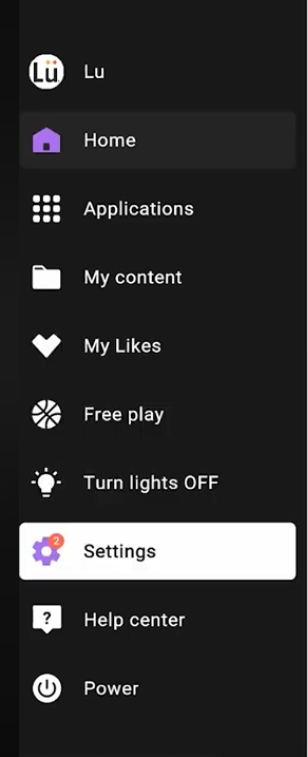
- When a new version is available, click the update button.
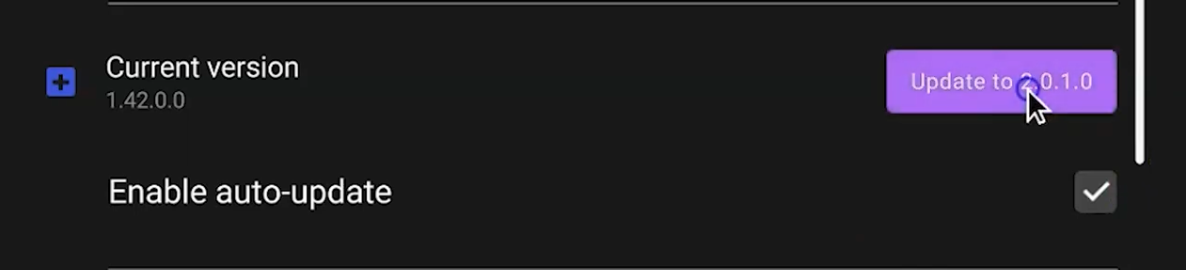
If you have trouble updating the Lü application, see Trouble updating the Lü app.
Windows Updates
Windows 10
- Select Start
 > Settings
 > Update & Security > Windows Update, then select Check for updates.
- If updates are available, select Download & install. Restart the computer if asked.
Windows 11
- Select Start
 > Settings
 > Windows Update
 , then select Check for updates.
- If updates are available, select Download & install. Restart the computer if asked.
- Then go to Windows Update > Advanced options > Optional updates, select all the updates and click Download & install. Restart the computer if asked.
Bios Updates (Dell drivers)
Update your Dell computer's drivers and BIOS with the official Dell website and the Dell SupportAssist tool.
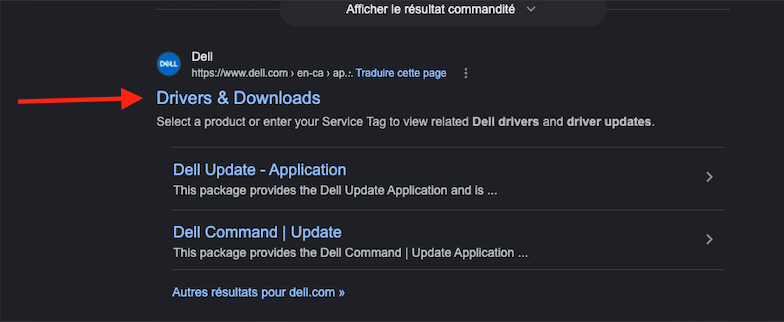
1. Open the Dell Drivers & Downloads page
- Open a browser and go to Dell Drivers & Downloads.
- Accept the permissions requested by the site.
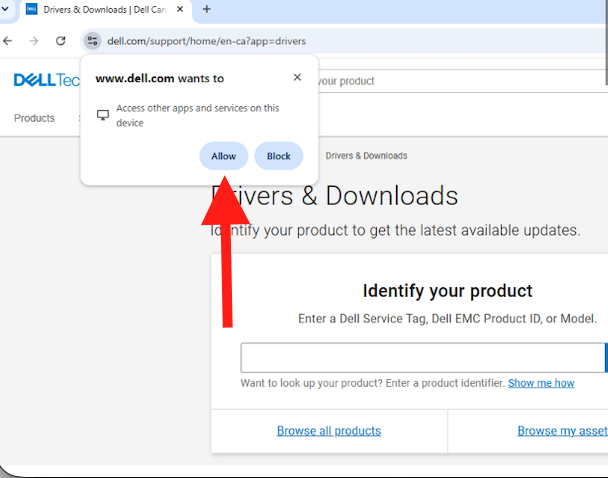
If your computer is detected, go to part 3.
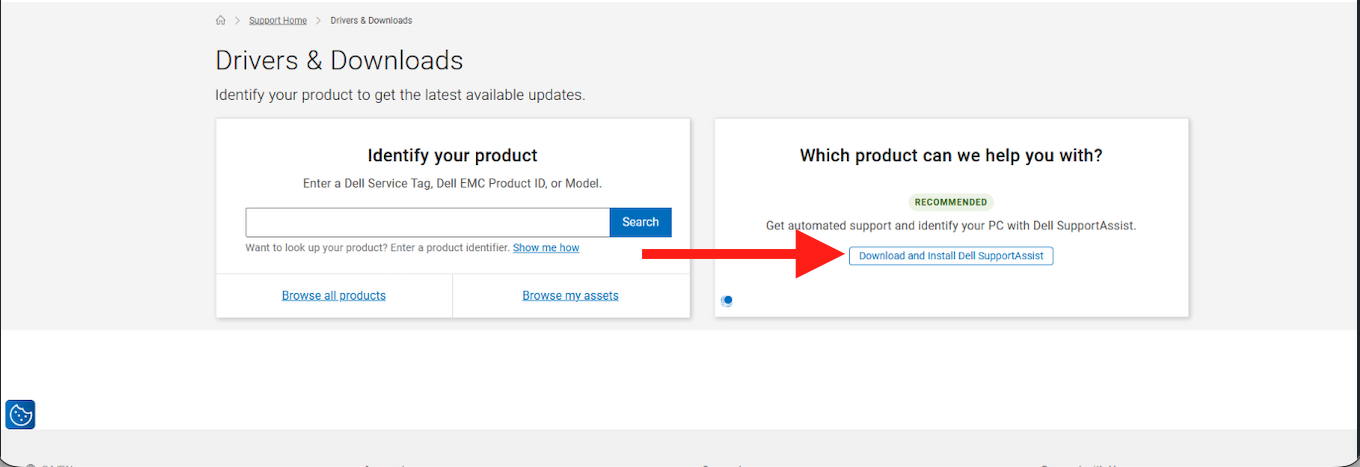
2. Install Dell SupportAssist (if your computer is not detected)
- Click the link to download Dell SupportAssist.
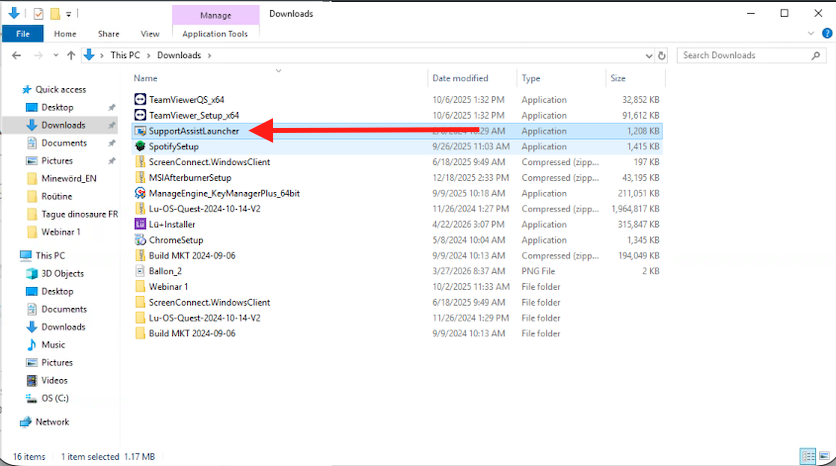
- Open File Explorer, then the Downloads folder. To see the Desktop from the keyboard remote, press Win + D.
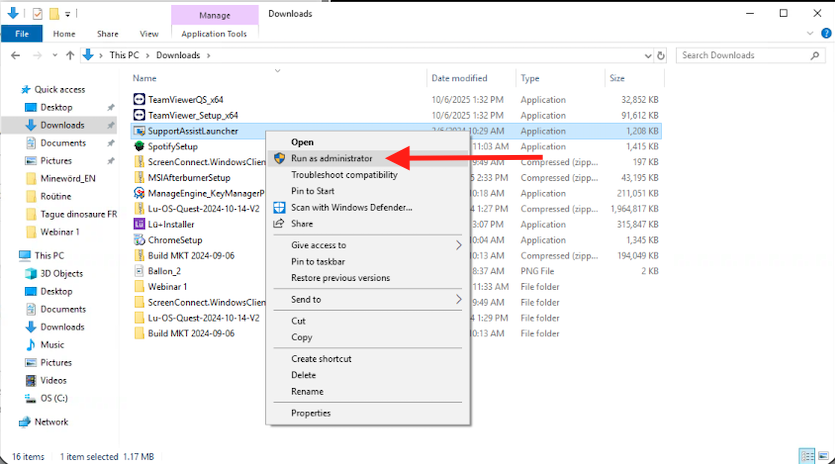
- Right-click the SupportAssistLauncher file and select Run as administrator.
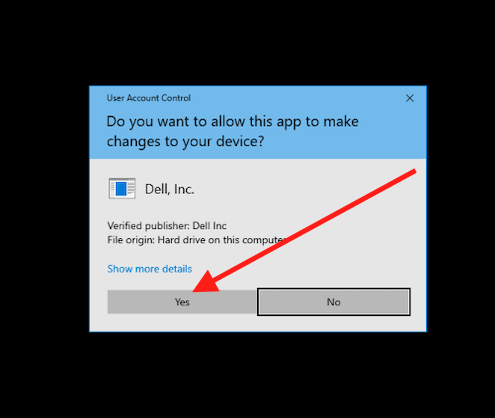
- Accept the system modification request.
- An installation window opens. Wait for it to close by itself.

3. Detect your computer and start the update
- Go back to the Dell page and reload it. Your computer model appears.
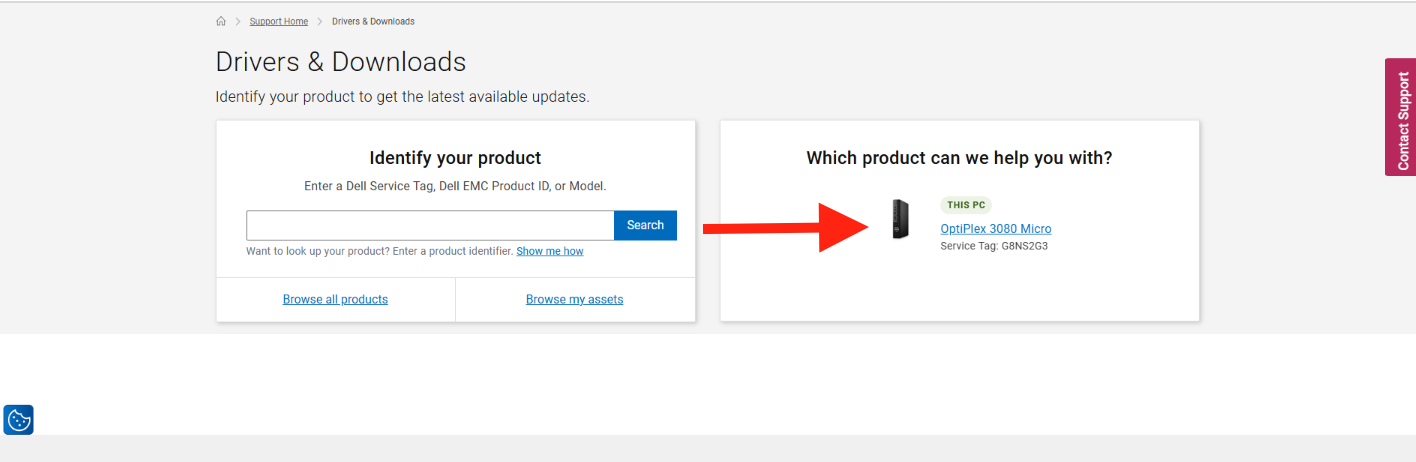
- Click your computer model name.
- Click Check for Updates.
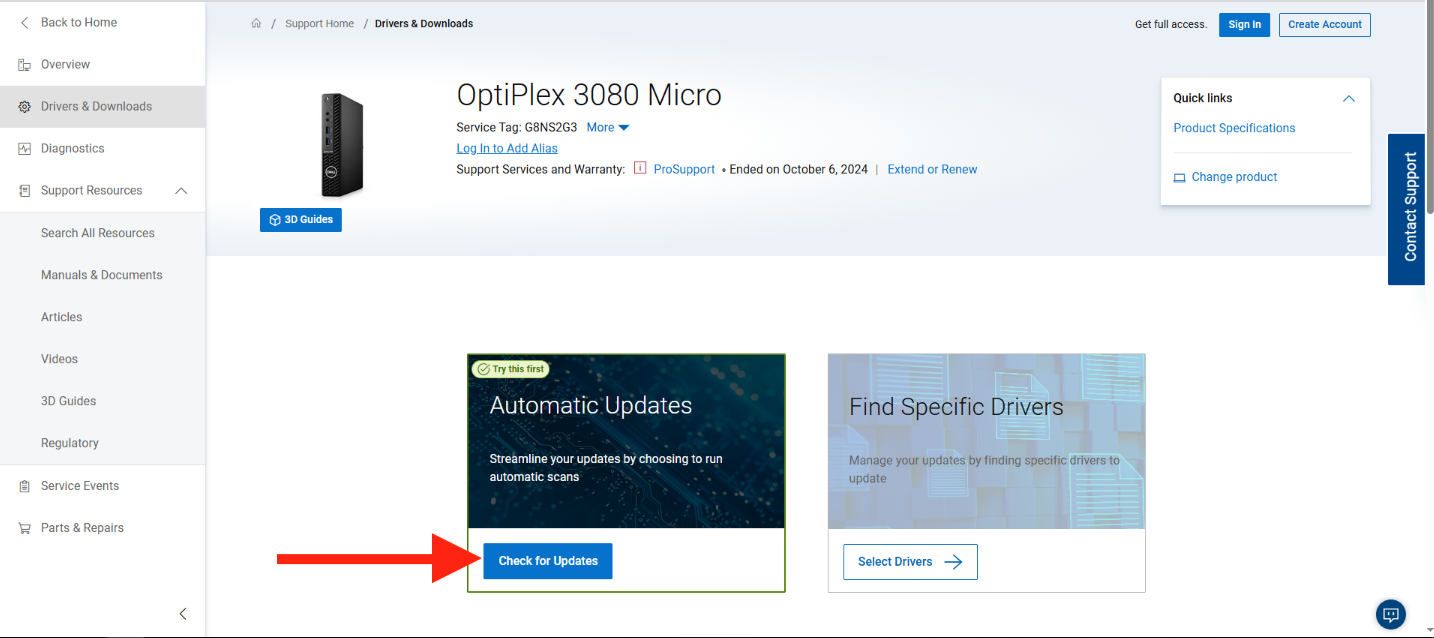
- Wait for the scan to finish. A progress bar is displayed.
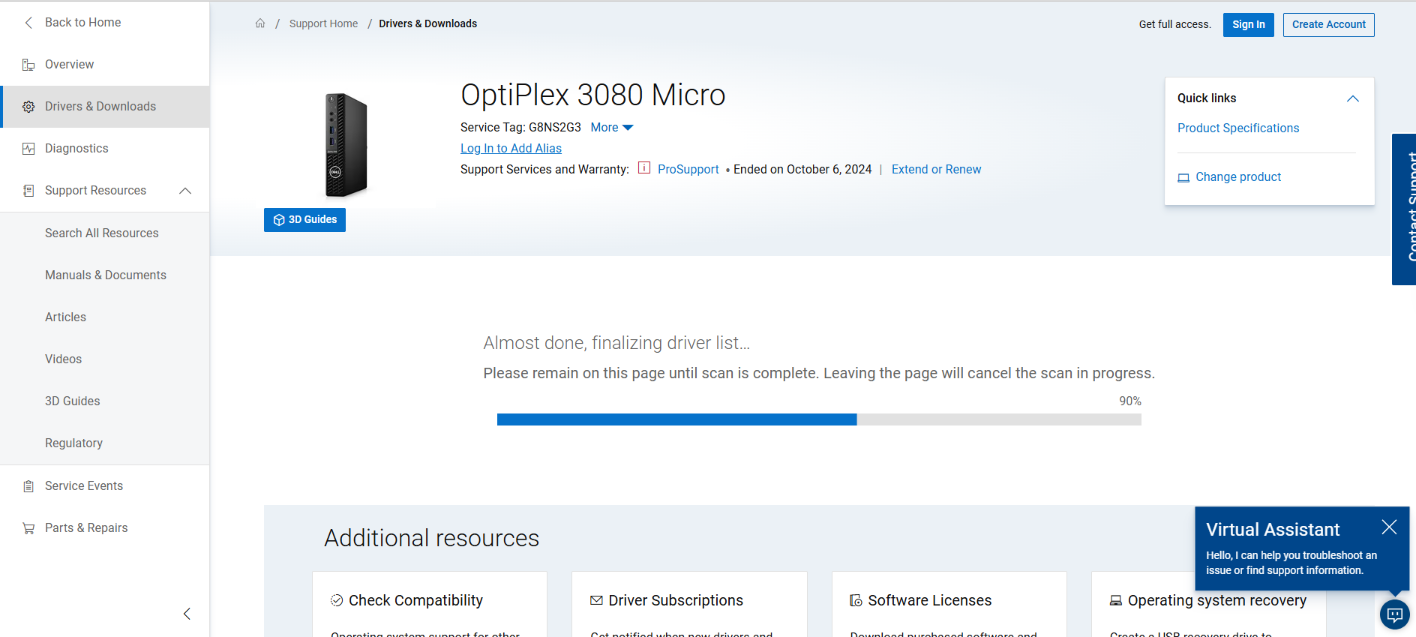
4. Download and install the updates
- A list of available updates appears.
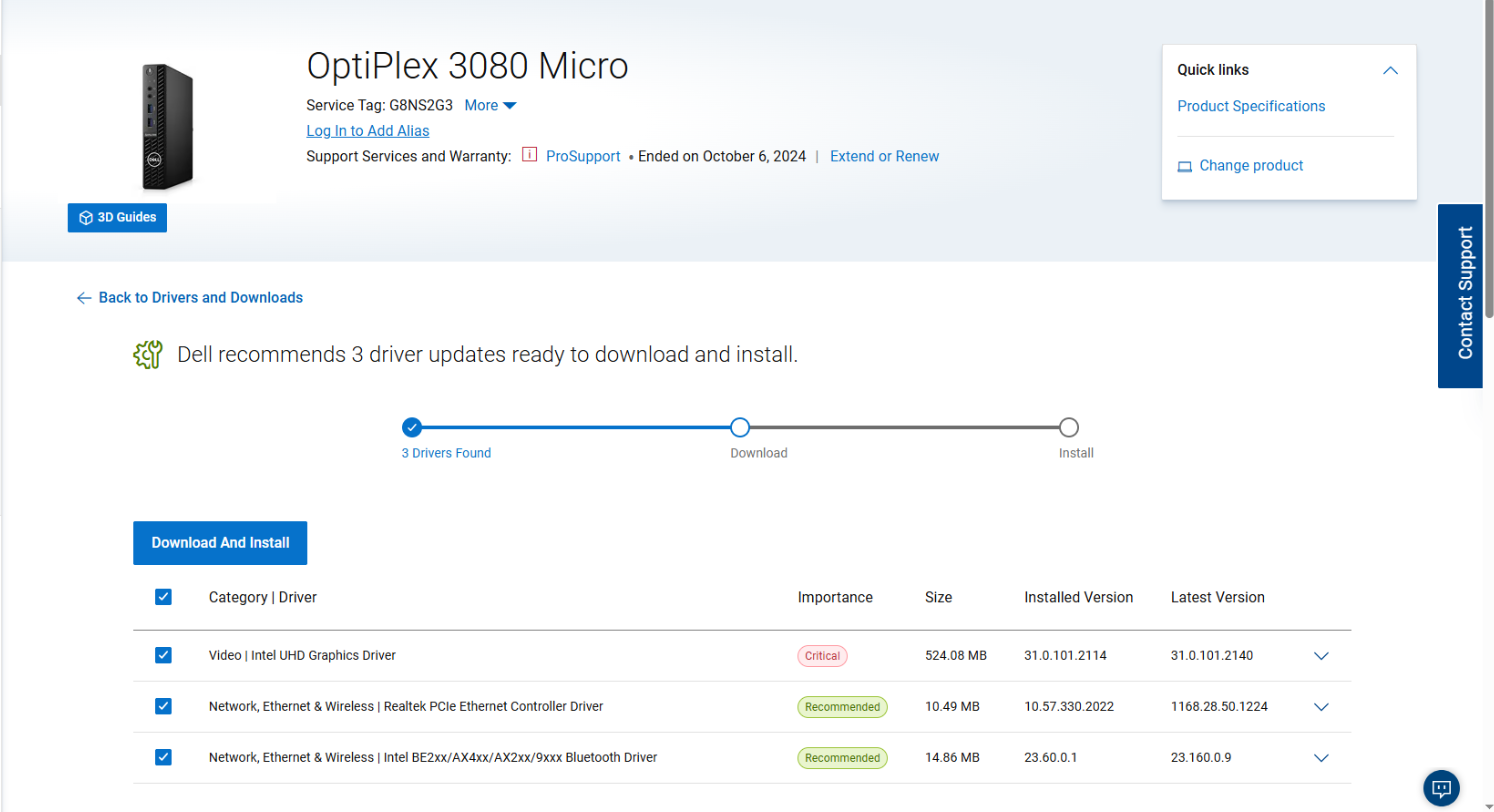
- Click Download and Install.
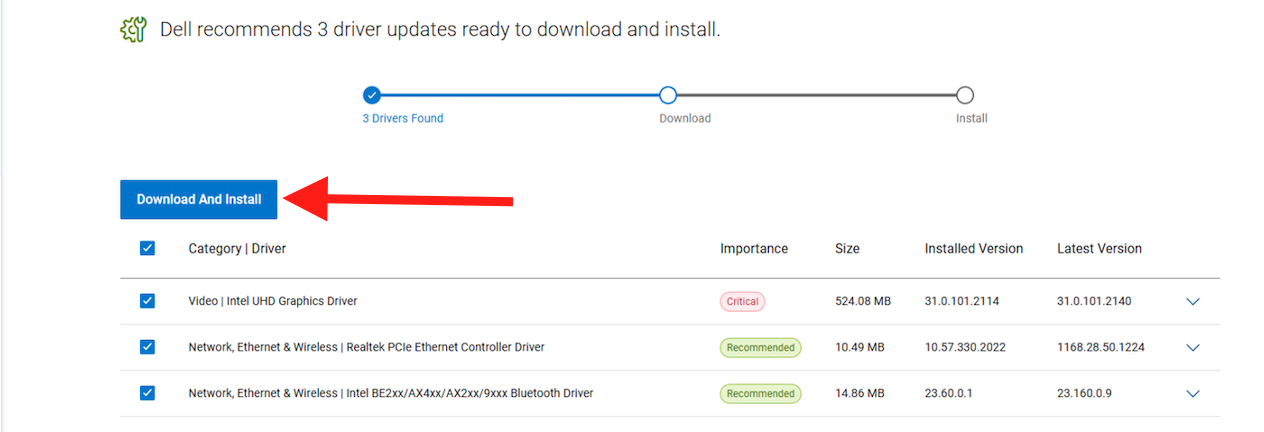
- Follow the on-screen instructions for each item: Restart means restart the computer to finish the update; Installed means nothing else to do.
BIOS updates (Lenovo)
Complete the Windows Updates steps first. Then:
- On the keyboard remote, press Win, search for Lenovo Commercial Vantage (or Lenovo System Update) and open it.
- Select Check for updates.
- Install the BIOS and driver updates that are found.
- Restart the computer when asked. Do not turn it off or unplug it during the BIOS update.
If the problem persists, contact us
Fill out the contact form and include:
- Your Lü serial number (LU####) (how to find it)
- Your model
- The steps you tried and the result of each
- The exact error message, if any
- A photo or video of the problem
- Unö & Duö V2: the color of the Heart light