
Each Lü has a unique serial number in the format LU#### (for example, LU1234). We ask for it every time you contact us: it tells us which unit you have and how it is configured.
Choose your model:
Not sure which model you have? Identify my model
Where to find it on the Unö & Duö V2
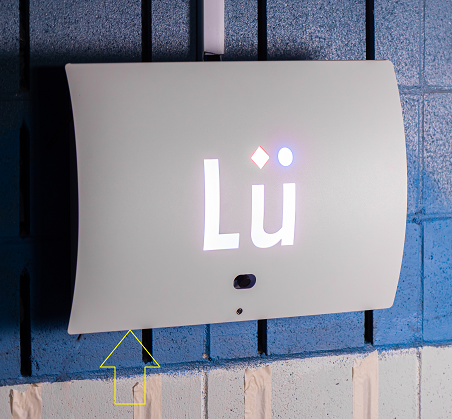
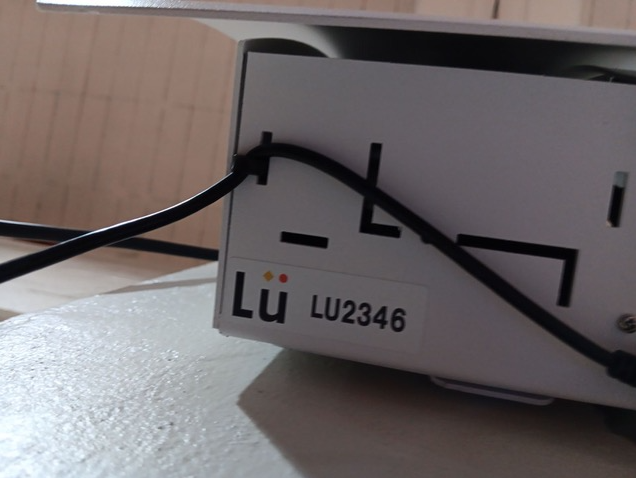
Under the Heart
Look for the sticker under the Heart, the box on the wall that contains the computer.
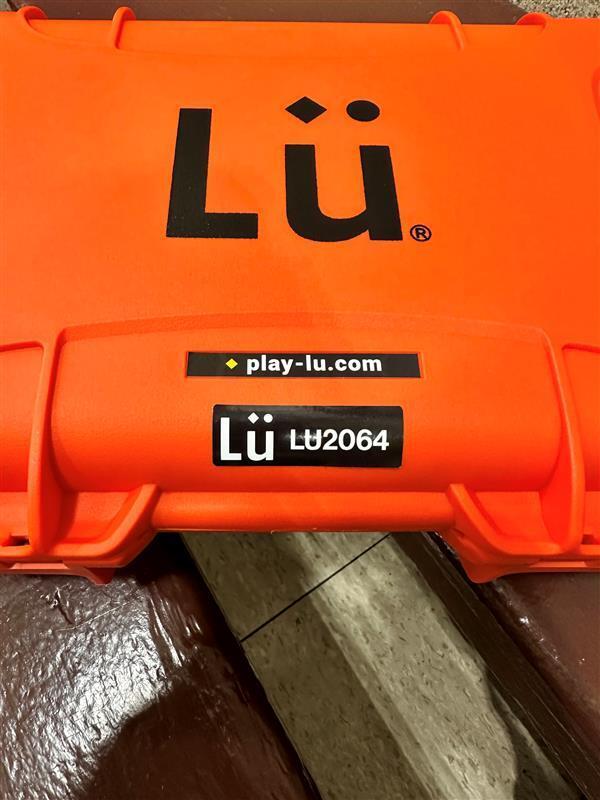
On the remote case
Look for the sticker on the front of the orange case that holds the remotes.
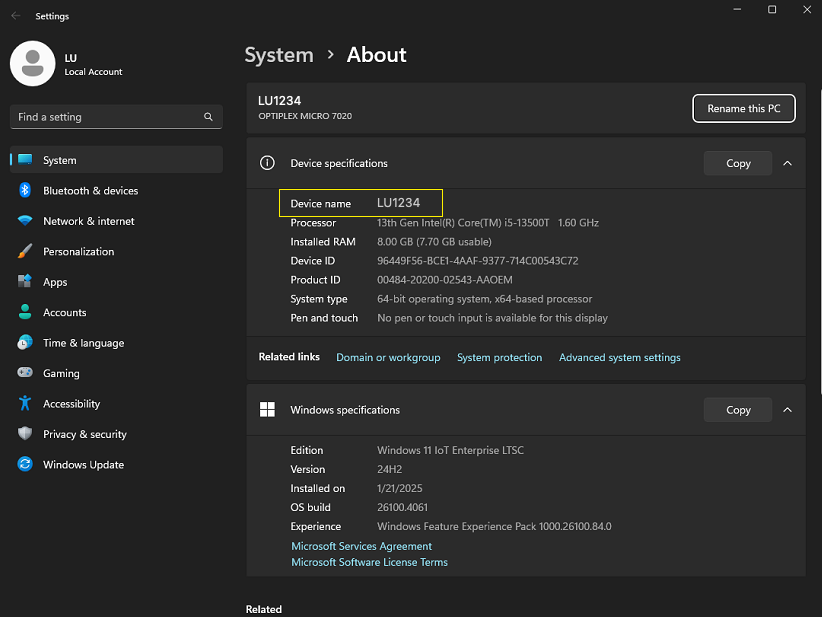
In Windows
- On the keyboard remote, press Win.
- Select Settings > System > About.
- Read the Device name: it is your serial number (LU####).
Duö: each unit has its own serial number. Give us both.
Where to find it on the Möve
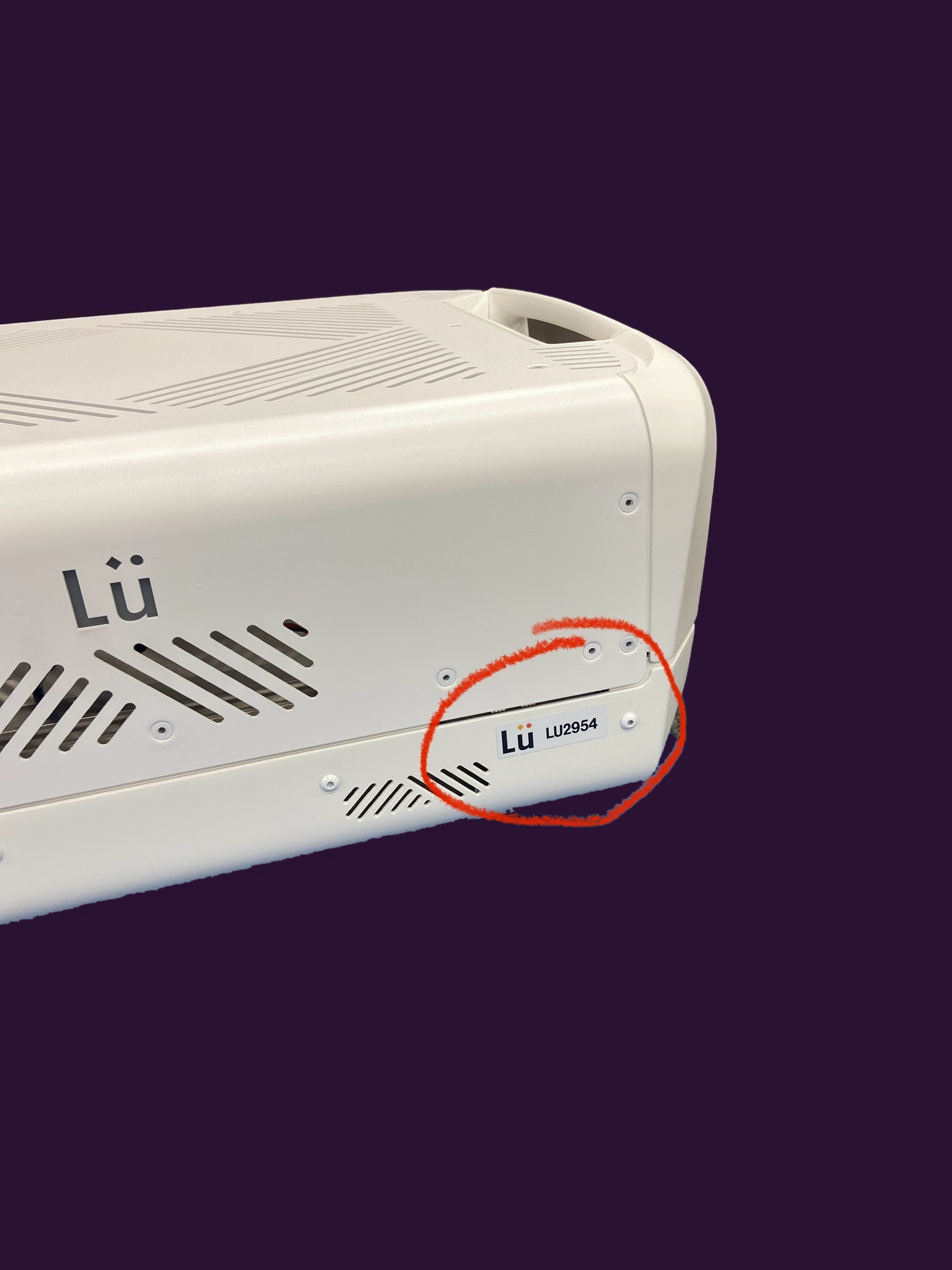
On the back of the head
Look for the sticker at the bottom of the back of the head.
In Windows
- On the keyboard remote, press Win.
- Select Settings > System > About.
- Read the Device name: it is your serial number (LU####).
Where to find it on the Höp
Höp is the newest solution in the Lü ecosystem, and its help content is on the way. In the meantime, contact us: we will guide you step by step.
Where to find it on the Unö & Duö V1
In Windows
- On the keyboard remote, press Win.
- Select Settings > System > About.
- Read the Device name: it is your serial number (LU####).
Duö: each unit has its own serial number. Give us both.
Where to find it on the Möbil
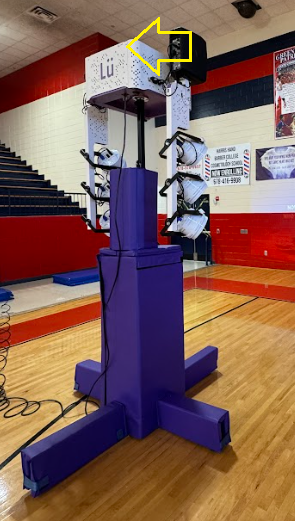
On top of the main module
Look for the sticker on top of the main module, the head of the lifting tower.
On the remote case
Look for the sticker on the front of the orange case that holds the remotes.
In Windows
- On the keyboard remote, press Win.
- Select Settings > System > About.
- Read the Device name: it is your serial number (LU####).
If you still cannot find it, contact us
Fill out the contact form with the name of your school or organization and a photo of your Lü. We will find your serial number.