
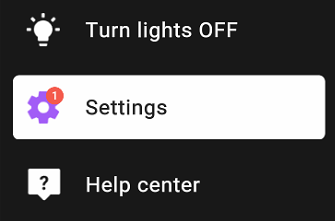
1. If a message indicating a resolution issue appears, go to Lü settings by selecting the gear icon located in the left side panel.
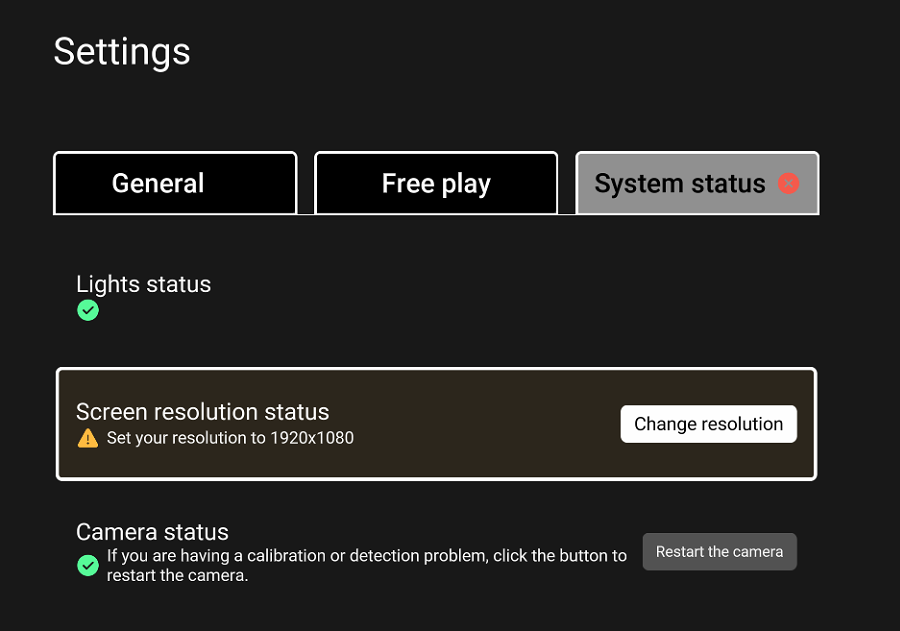
2. Next, select the "System Status" tab and click the "Change Resolution" button.
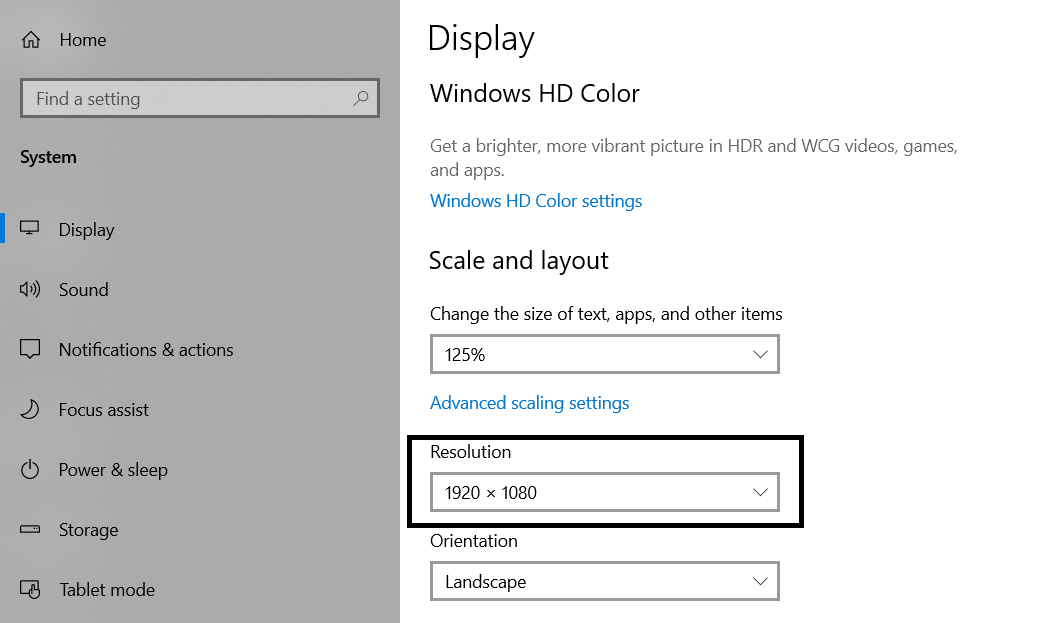
3. A Windows settings window will open. Under the "Resolution" section, select 1920 x 1080 from the dropdown menu.
4. Once the correct resolution is selected, confirm the changes, close the window, and restart the Lü application if needed.