
Watching a movie on your Lü delivers a genuine theater experience: large-format projection, integrated sound, and full room blackout. The result approximates a cinema environment. Popcorn not included.
Whether you’re looking to play a movie or just stream music, here’s how to do it for the best performance:
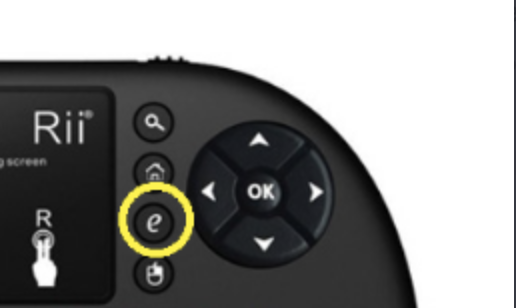
You can stream content from:
-
🎵 YouTube
-
📽️ [Netflix, Disney+, Vimeo, etc.]*
-
Use the keyboard or mouse to search and play the content.
-
Sound will play through the Lü system, providing an immersive audio experience.
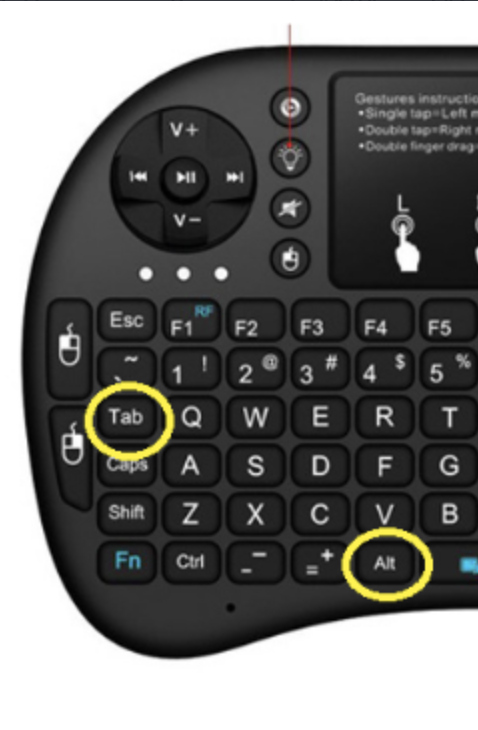
If you want to switch back and forth between Lü software and your movie/music, simply press “Alt” + “Tab” on your keyboard-remote.
Don’t forget to respect copyright and intellectual property rules. Always check with your school administrator to confirm what streaming platforms are approved for use in your classroom.