
1. Make sure the keyboard-remote is fully charged.
2. Ensure that it is set to “ON” and that a blue light is illuminated.
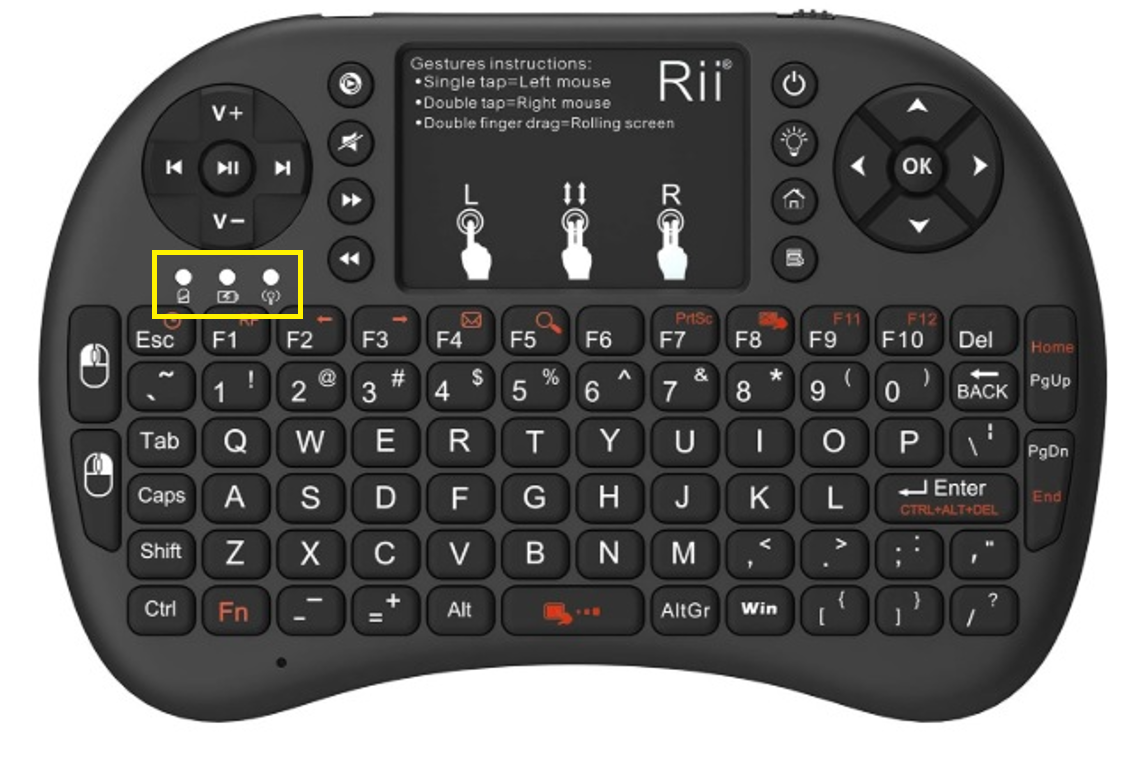
- If a blue light is flashing, the keyboard-remote’s battery is running low and needs to be charged.
- The red light will turn off once the device is fully charged.
3. Make sure to use the keyboard-remote within 30 feet of its receiver, located at the heart of the system.
4. If the keyboard-remote is not charging, try using another USB cable of the same type.
5. If an orange light is flashing without pressing any buttons, it means the keyboard-remote is no longer paired with its USB receiver.
To re-pair it, follow these steps:
- Turn off the keyboard-remote.
- Press and hold the F1 key.
- While holding F1, turn on the keyboard-remote, then release the key immediately.
- Wait a moment; the keyboard-remote will reconnect automatically.
6. If the keyboard-remote is still flashing, repeat the procedure from #5 but with these additionnal steps:
- Disconnect the USB receiver connected at the end of this USB cable.
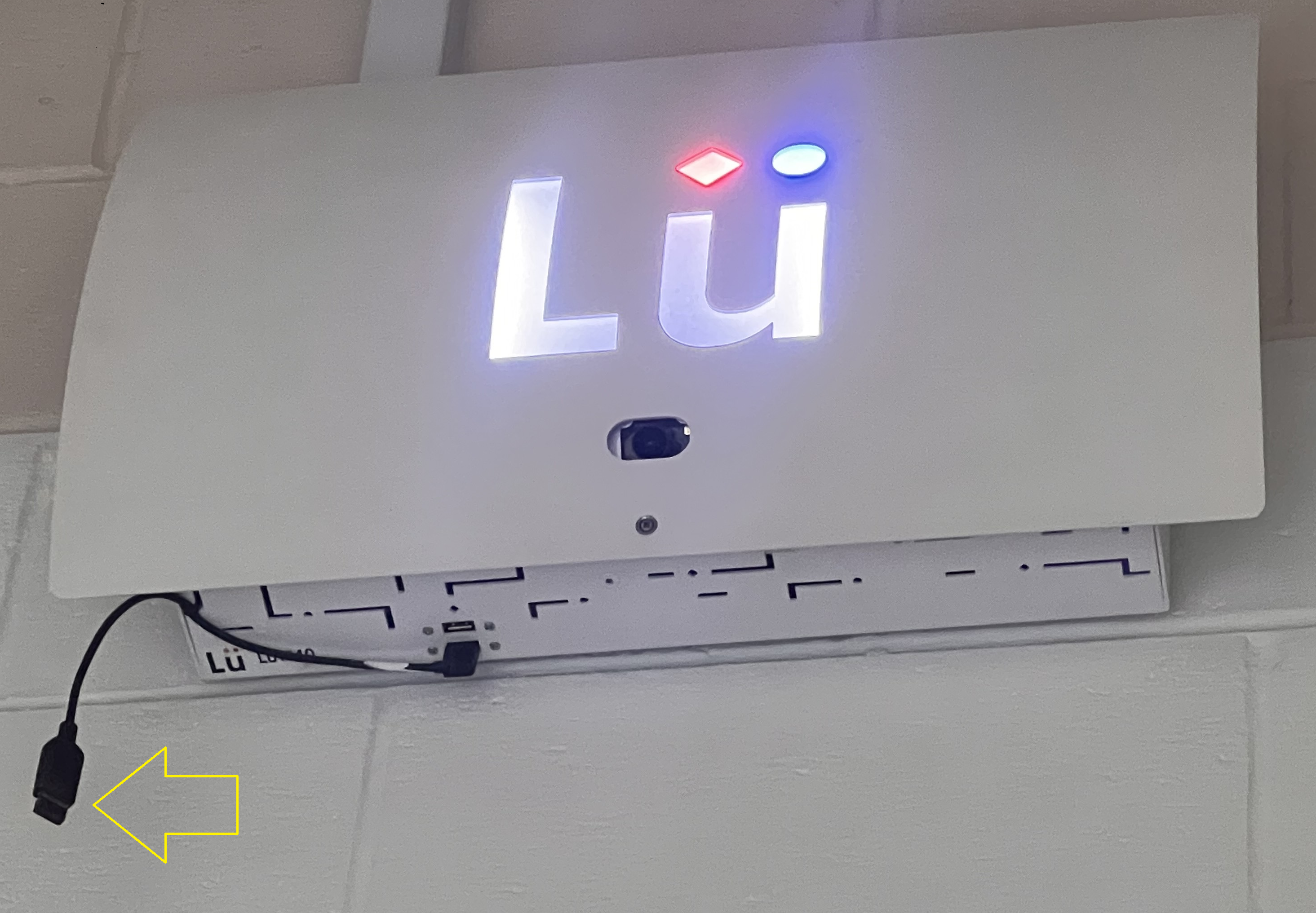
- Turn off the keyboard-remote.
- Press and hold the F1 key.
- While holding F1, turn on the keyboard-remote, then release the key immediately.
- Reconnect the USB receiver removed at step #2.
- Wait a moment; the keyboard-remote should reconnect automatically.
7. If your keyboard-remote has suffered physical damage, you can purchase a new one from our online store or contact our support team.
 If the keyboard-remote no longer holds a charge, there may be an internal issue. It will likely need to be replaced.
Additional Tips for Projector Remote Control
Battery Check
Ensure the projector remote’s batteries are in good condition. Replace them if needed.
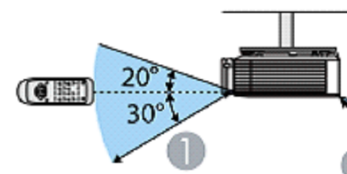
Optimal Usage Position
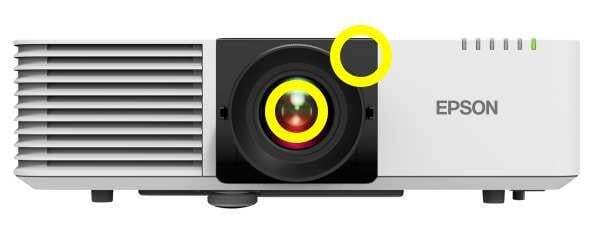
The projector's remote sensor is located at the front of the projector. For best results:
-
Stand near the projection wall.
-
Aim the remote toward the front of the projector.
-
Refer to the provided diagram for recommended usage positions.
Still have questions? Contact us!